
Go to the WooCommerce menu, Settings submenu, Shipping tab.
The list of your shipping zones is displayed. Click on the Modify link at the end of the line for the shipping zone for which you want to add a Shipping Zen method.
💡If you’ve already set up a Shipping Zen shipping method for one shipping zone, you can reuse it for another zone using our export and import functionality [Pro version only].
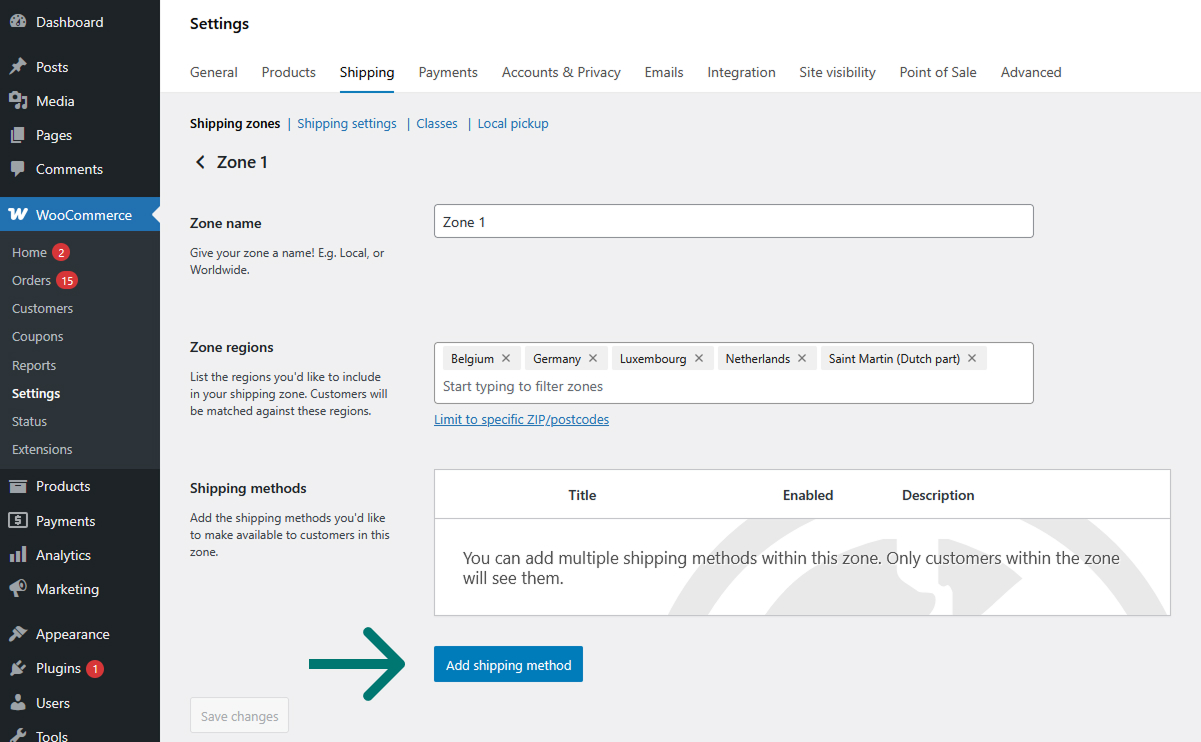
On the screen of the shipping zone you wish to complete, click on the Add a shipping method button :
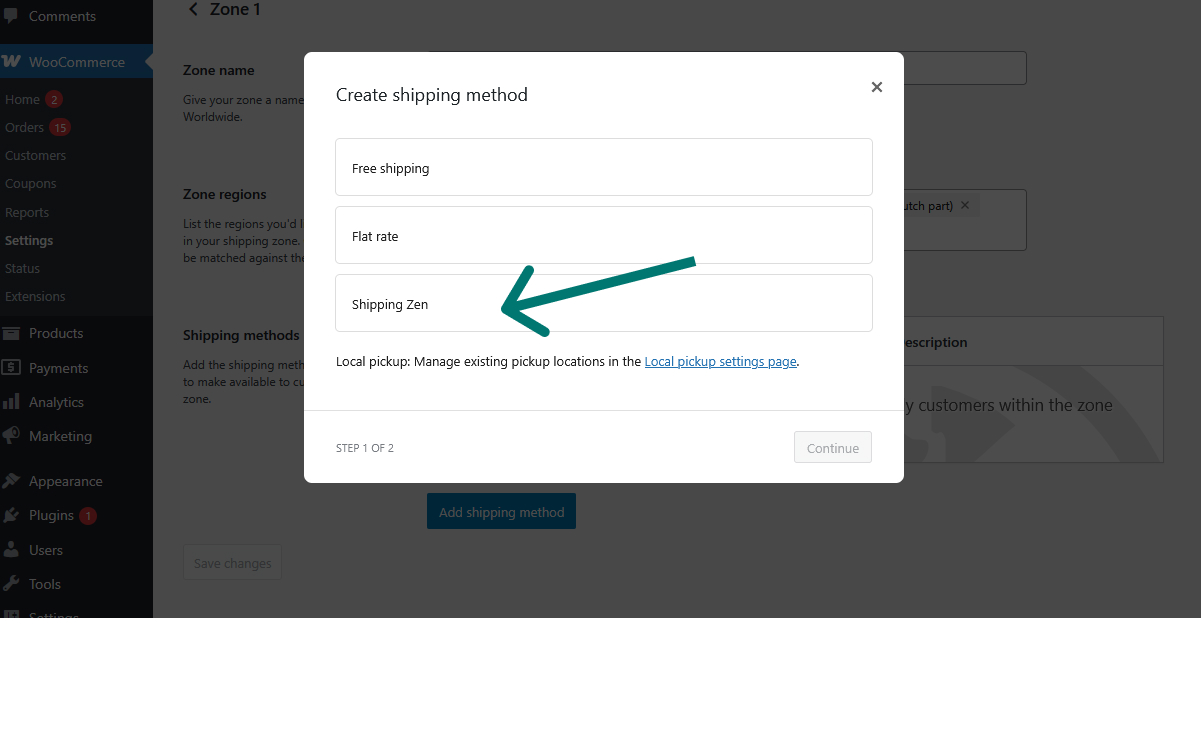
In the popup window that opens, click on Shipping Zen and then on the Continue button:
The method you have just created can now be found in the table of available shipping methods for the shipping zone:
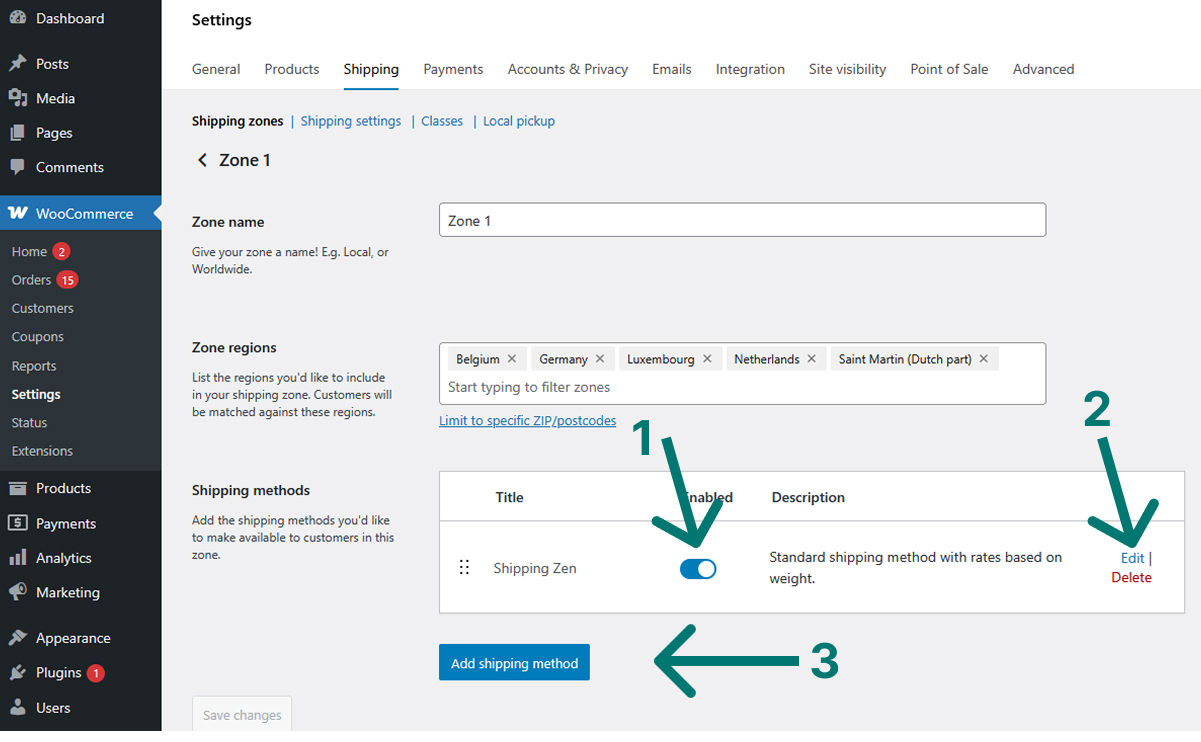
From this table, you can activate or deactivate the method [1], modify it [2] or add another method [3].
To setup the Shipping Zen method, click on the Modify link.
Read now : Setting up a Shipping Zen method