
Go to the WooCommerce menu, Settings submenu, Shipping tab.
The list of your shipping zones is displayed. Click the Modify link at the end of the line for the zone you want to configure.
In the table of shipping methods, click the Modify link at the end of the line for the Shipping Zen method you want to set up.
The method settings screen opens. Two distinct areas let you control visibility by role: Exclusion criteria and Display criteria.
Hiding a method for certain roles
The 1. Exclusion criteria area contains the Excluded user roles field:
If the user is logged in with one of the roles selected here, the method is not displayed.
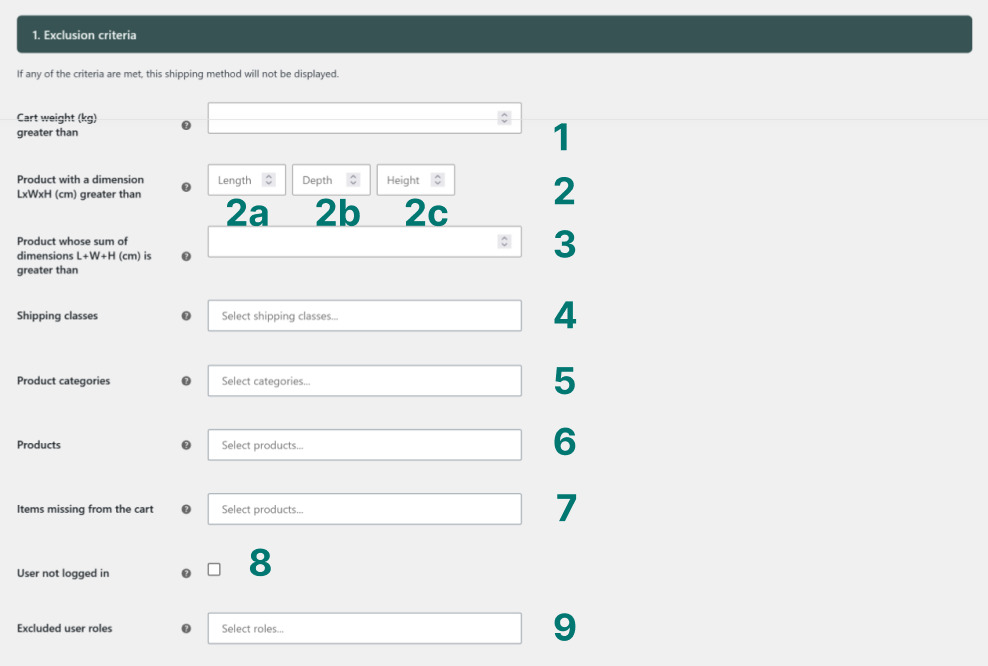
Select in this field the roles for which the method should be invisible. The method remains visible to all other users, whether logged in or not.
💡 An additional field lets you go further: if this box is ticked, users who are not logged in will never see this method [Pro version]. Useful for reserving a method exclusively for registered accounts, regardless of their role.
Reserving a method for specific roles only
The 2. Display criteria area contains the User roles field:
The method is only displayed if the user is logged in with one of the roles selected here.
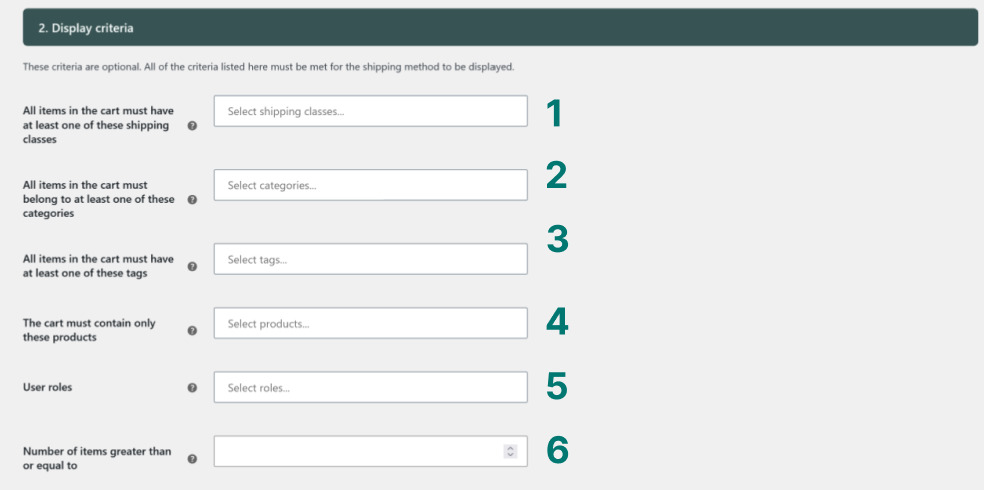
Select here the roles allowed to see the method. Any user whose role is not in this list — including visitors who are not logged in — will not see the method displayed.
This is the reverse of exclusion: instead of listing who cannot see the method, you list who can.
Which approach to choose?
- You want to hide the method for a few specific roles and leave it visible to everyone else → use the Excluded user roles field.
- You want to reserve the method for one or more specific roles → use the User roles field in the display criteria.
Both fields can coexist in the same method. If an exclusion criterion is met, the method is not displayed, regardless of the settings in the Display criteria section. Exclusion always takes priority.
Use cases
Carrier rate reserved for resellers. You have a “Reseller” role on your shop and have negotiated preferential rates with your carrier. Create a dedicated method and enter this role in the User roles field. Regular customers will never see it.
Express shipping hidden for credit accounts. Some professional customers place orders on deferred payment and should not have access to express shipping charged at order time. Add their role to the Excluded user roles field.
Standard method hidden for wholesalers. Bulk orders require a specific carrier and should not go through your standard shipping method. Exclude the “Wholesaler” role from that method to prevent any wrong selection at checkout.
Method under testing, invisible to customers. You want to set up and check a new shipping method without showing it to your customers. Restrict its display to the Administrator role while you fine-tune the settings.
💾 When you have finished setting the parameters, click on the blue Save changes button at the very bottom of the screen.