
The Shipping Zen plugin can be installed as usual in the administration area of your WordPress site.
You must first have downloaded the plugin in zip format (shipping-zen.zip file) from your Freemius account and have it available on your computer.
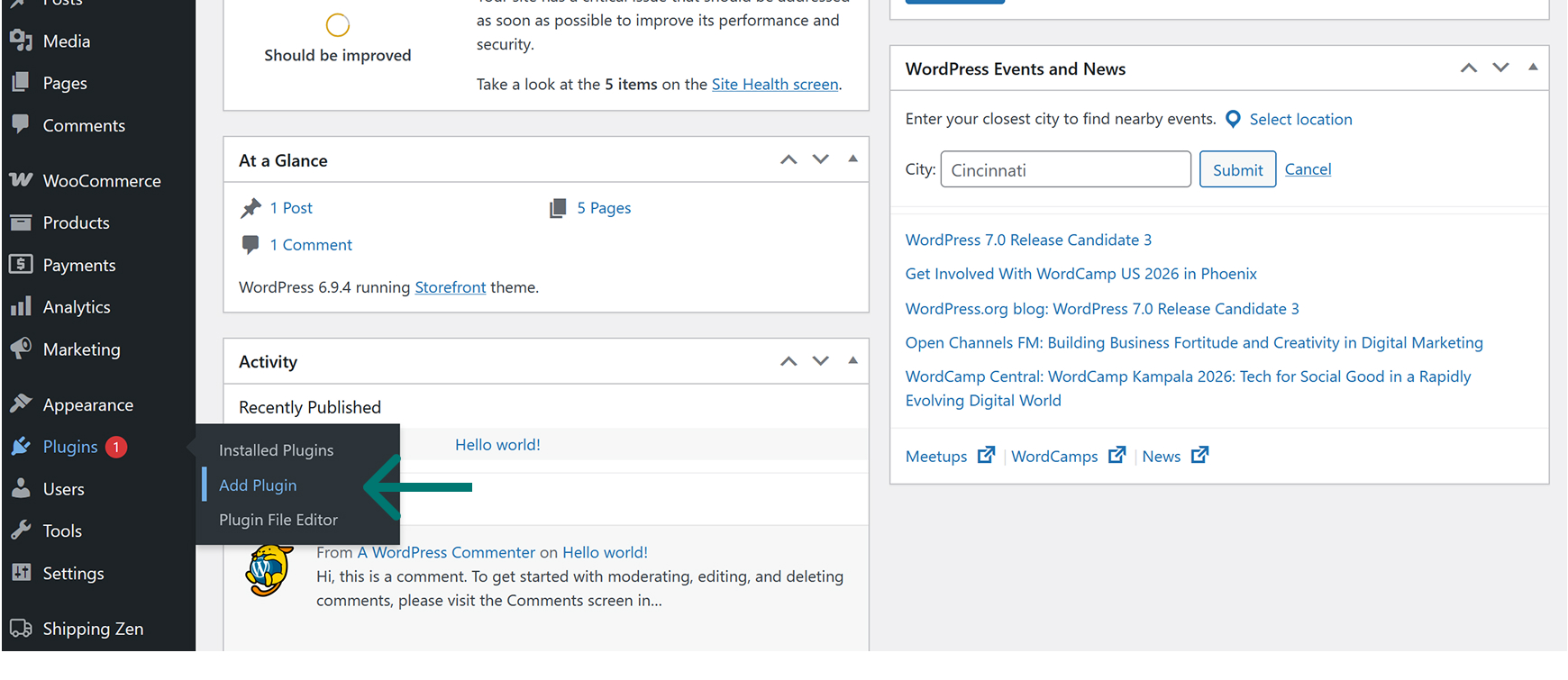
To install, go to the Plugins menu, submenu Add a plugin:
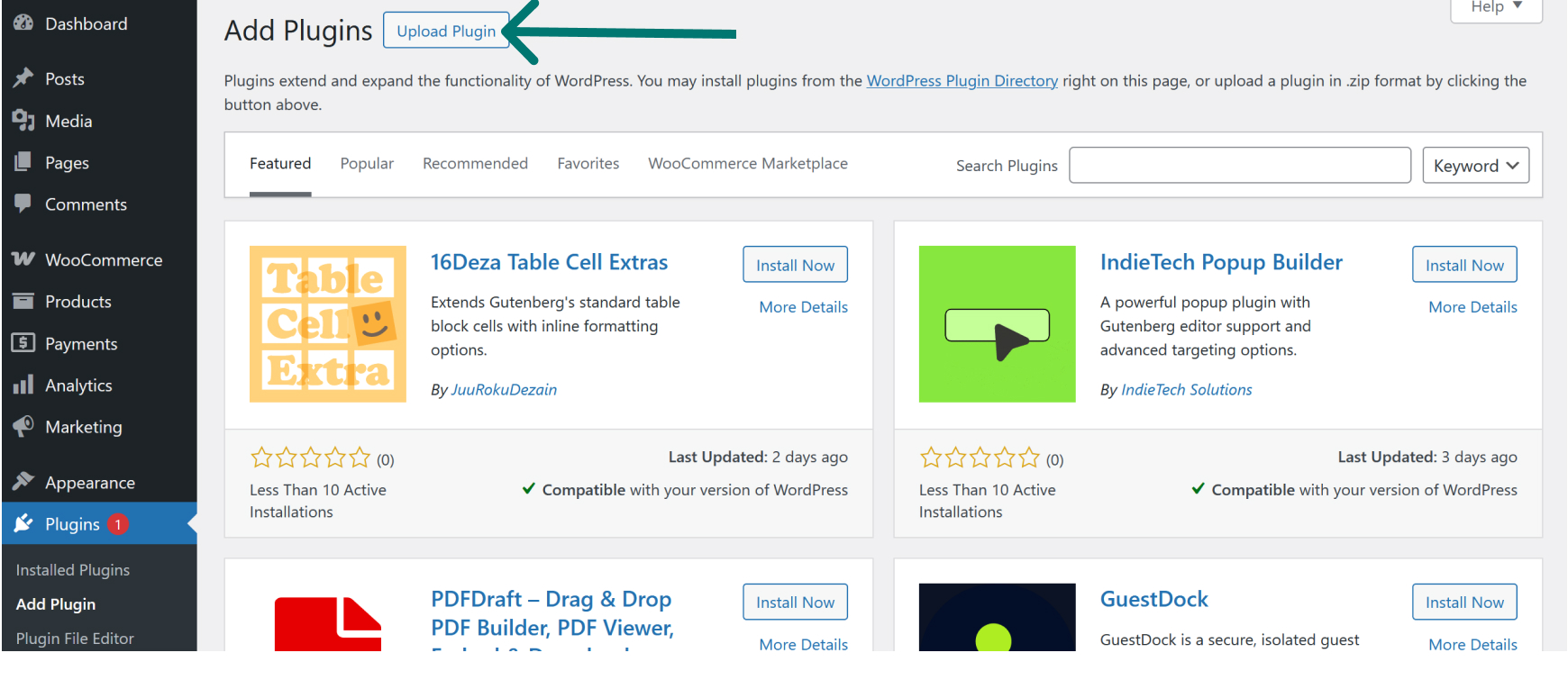
then click on the Upload a plugin button at the top of the screen :
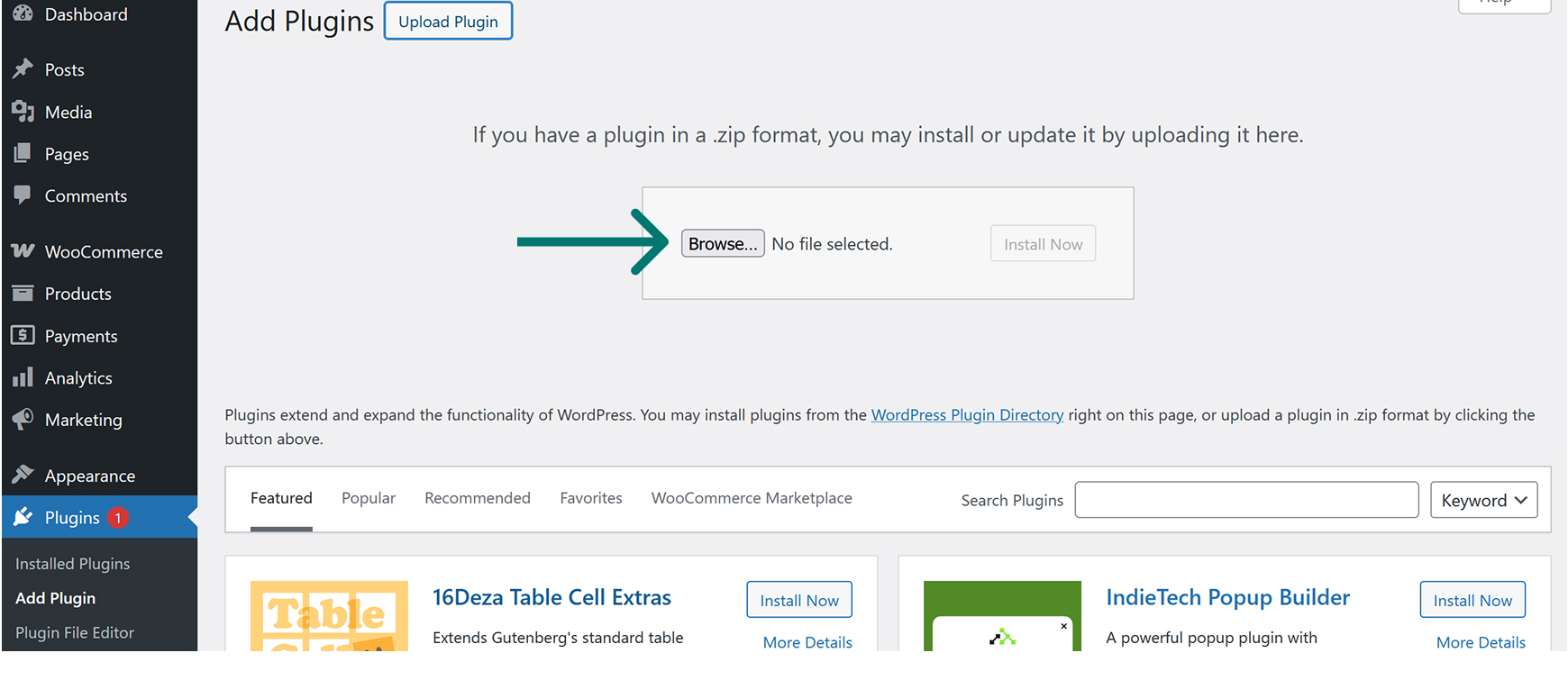
In the new area that appears, click on the Browse button and select the .zip file on your computer. Then click on the Install Now button.
Wait a few moments until you see a new screen with the message “The plugin has been installed successfully”.
Then click on the Activate plugin button.