
Go to the WooCommerce menu, Settings submenu, Shipping tab.
The list of your shipping zones is displayed. Click on the Modify link at the end of the line for the shipping zone for which you want to set up a Shipping Zen method.
If you have not yet added a Shipping Zen method for this zone, see first: how to add a Shipping Zen shipping method
💡If you’ve already set up a Shipping Zen shipping method for one shipping zone, you can reuse it for another zone using our export and import functionality [Pro version only].
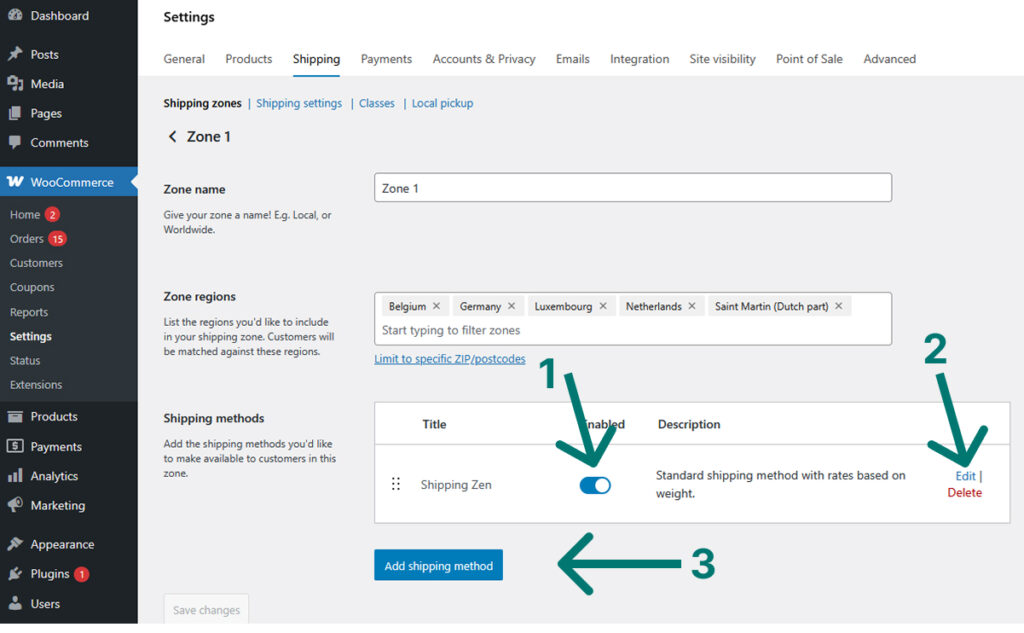
In the table of available shipping methods for the shipping zone, click on the modify link [2] at the end of the line for the method you want to set up:
In the shipping method settings screen, scroll down to zone 4 Calculation of shipping rate and enter the rate of your choice in field [1] of the image below, Flat rate:
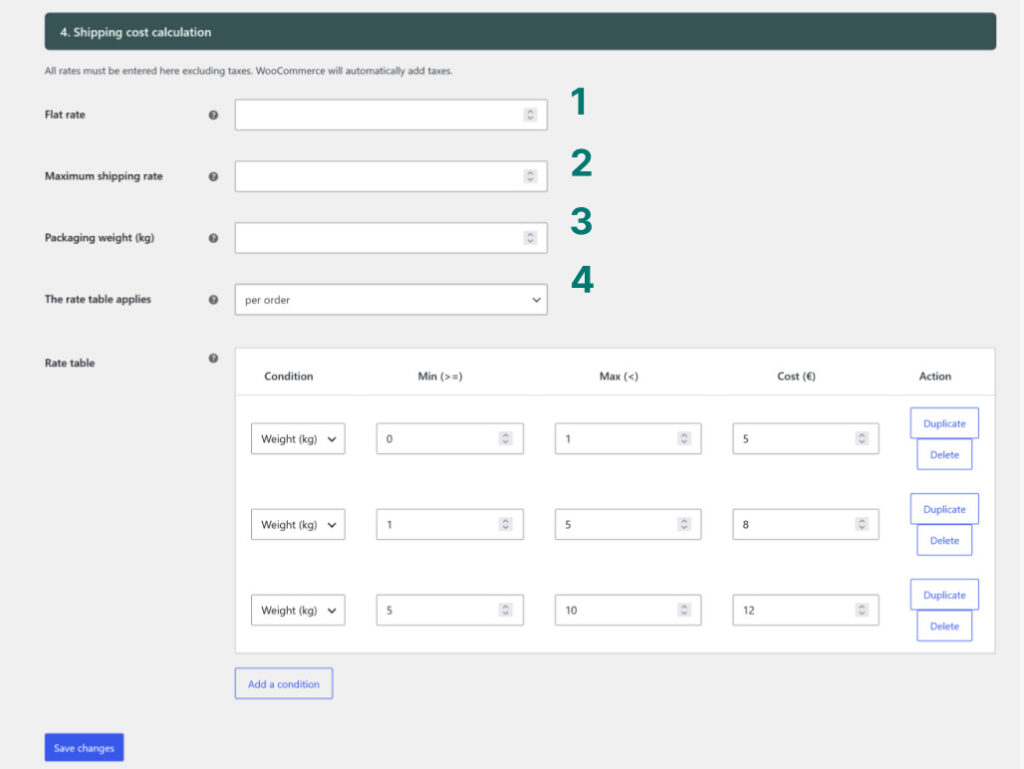
The rate you enter will be the shipping rate that will be applied regardless of the cart contents. Clear the rate table to apply only the flat rate.
💾 When you have finished setting the parameters, click on the blue Save changes button at the very bottom of the screen.